
Every warehouse page is built the same way. Remember three areas and you will always know where to click.
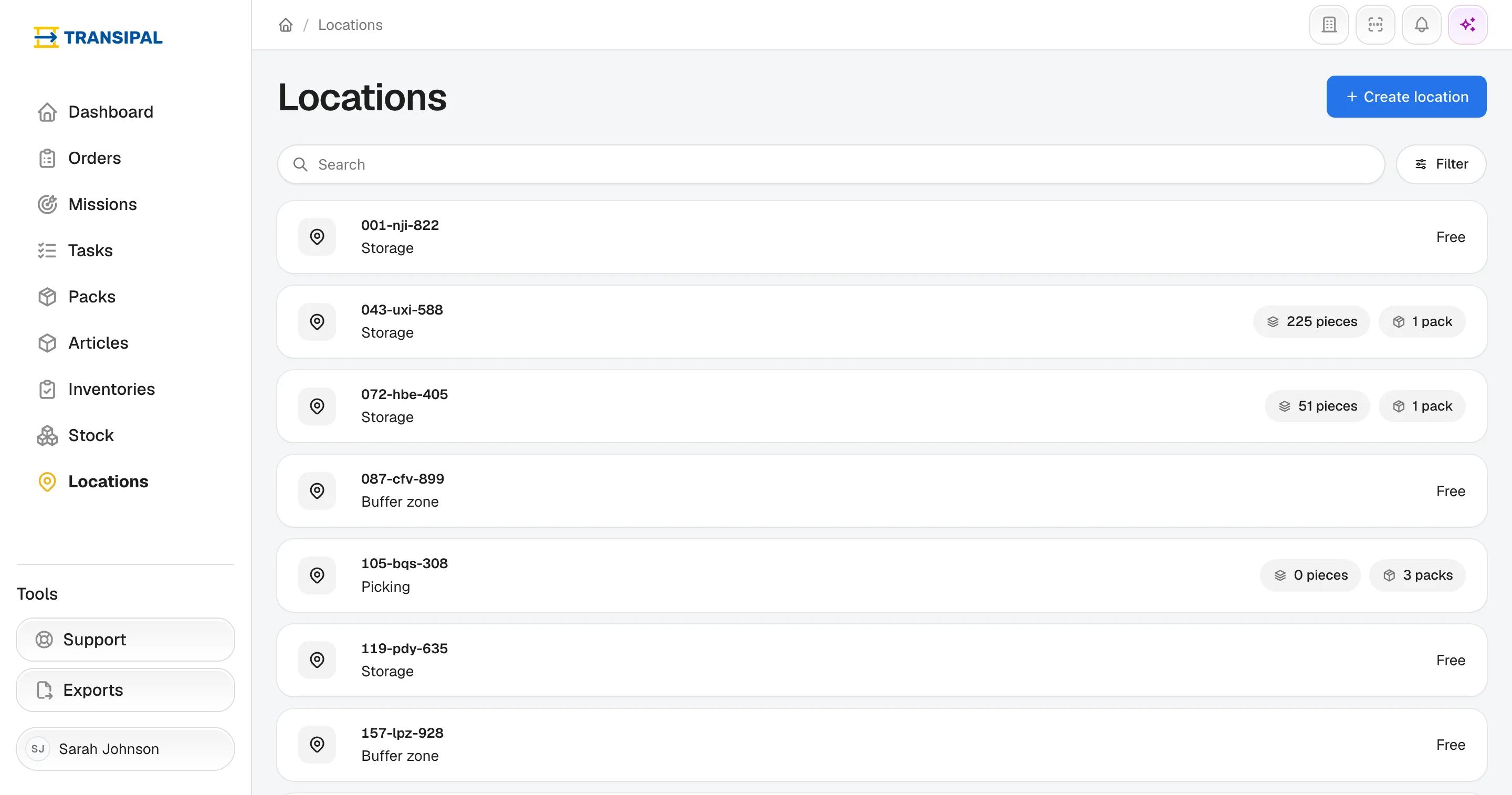
On the left: what you look for
The sidebar leads to the warehouse's main lists:
- Dashboard: what there is to do today;
- Orders: your customers' requests;
- Missions: receptions, stagings and shipments;
- Tasks: the operators' work, one row per operation;
- Packs and Articles: what is in the warehouse;
- Inventories: the counts;
- Stock: the products and their quantities;
- Locations: the zones of the warehouse.
At the bottom, Support puts you in touch with the Transipal team, and Exports finds the Excel files you asked for.
At the top right: the shortcuts
- the building takes you back to the list of your warehouses;
- the barcode opens the quick scan: scan a label, the page opens. See Quick scan;
- the bell shows your notifications;
- the sparkles open the AI assistant, to whom you ask questions in your own words.
At the bottom left: your account
Click your name to open your account or log out.
A few words to know
- A product is a catalogue reference; an article is an actual quantity of that product, sitting on a pack.
- A pack is what moves in the warehouse: it carries one or several articles.
- An inner is the packaging between the carton and the piece.
- A partner is a company you work for: a customer, a supplier, or both.
This page does not answer your question?
Contact us